
Feathering in Pixelmator is very much off regular topics. However nobody seems to have explained how you do this so here goes.
Step 1: Use the Wand tool or a Selection tool to select the image you wish to feather
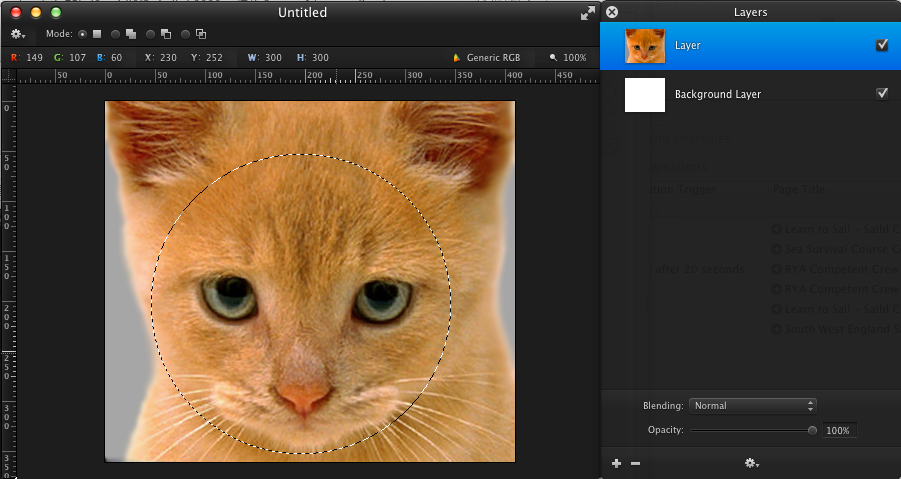
Step 2: Click Edit => Refine Selection
Step 3: Choose the amount which you would like to feather by & click OK
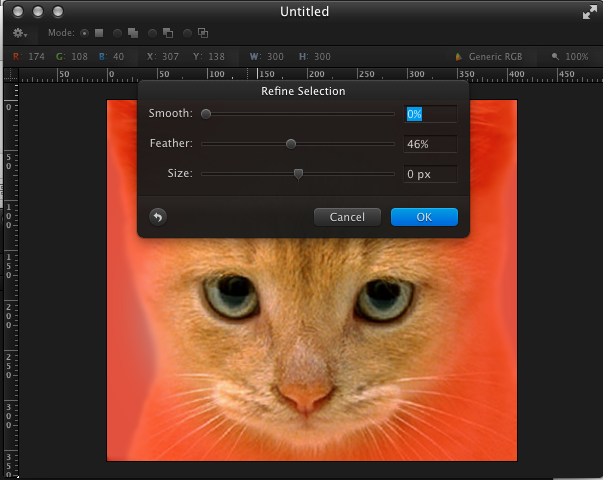
Step 4: Click Edit => Invert Selection
Step 5: Click Edit => Clear OR Hit backspace
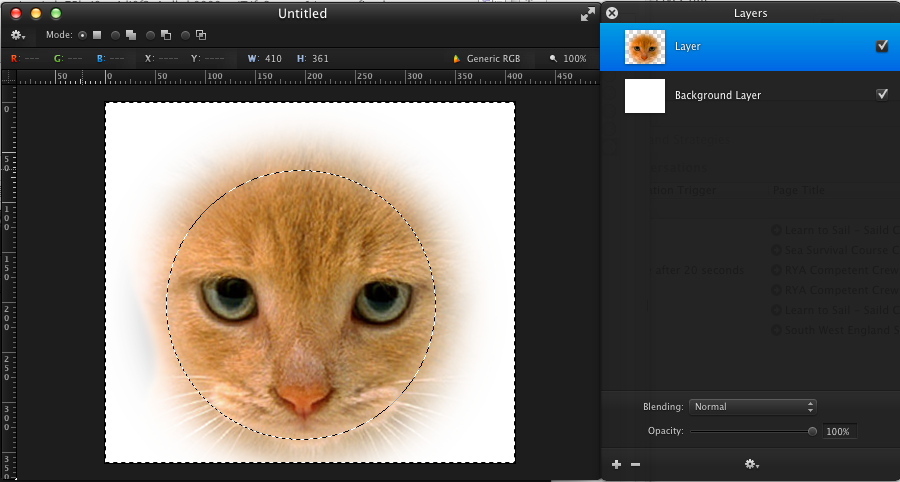
That’s it really very simple. I stumbled across this and couldn’t find any resources or guides feathering in Pixelmator hence this quick post.